


Binance has scheduled Hyperliquid's HYPE token for Spot trading in three markets:
- HYPE
- USDT
- HYPE/USDC
- HYPE/TRY
Important timing note: At the time this guide was verified, Binance's official notice still described Spot trading as scheduled for 11:00 UTC. Confirm that the selected HYPE pair is live in your own Binance account before submitting an order.
Summary
- Use only the official Binance app or website and complete the required account verification.
- For an external HYPE deposit, open Deposit → Deposit Crypto, select HYPE, and choose the exact network supported by Binance for that deposit.
- The network selected on Binance must match the network used by the sending wallet or exchange. A wrong-network transfer can permanently lose funds.
- Binance identifies HYPE with the smart-contract address
0x0d01dc56dcaaca66ad901c959b4011ecin its listing notice. Use Binance's own deposit screen to confirm the current asset and network details. - HYPE carries Binance's Seed Tag. Trading access requires the applicable risk quiz every 90 days and acceptance of the Terms of Use.
- Start with the correct Spot pair, then choose a Market or Limit order based on whether execution speed or price control matters more to you.
What HYPE markets is Binance adding?
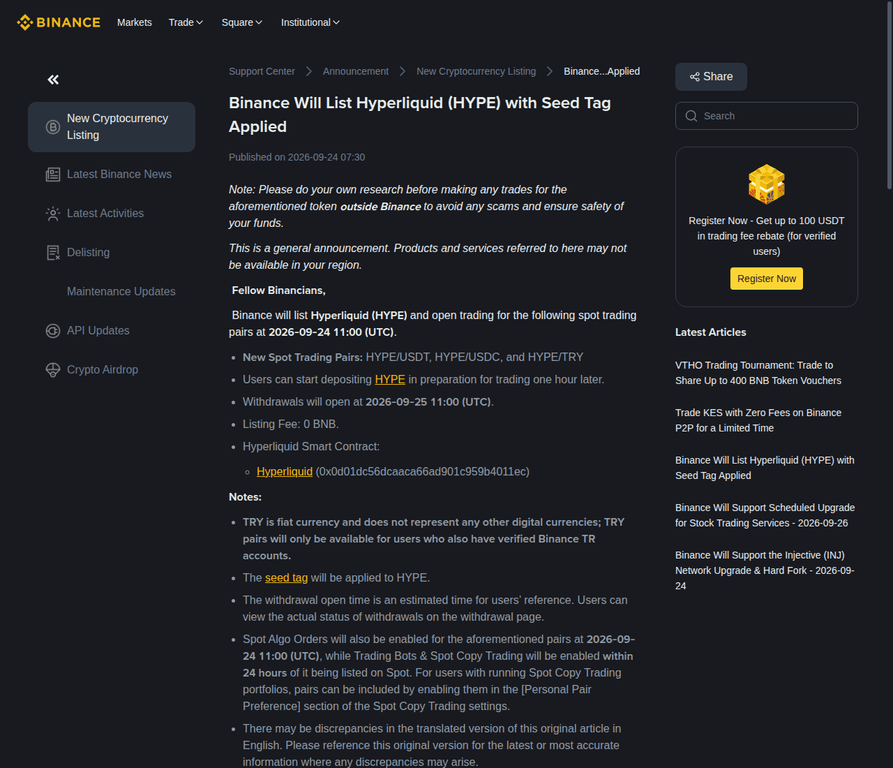
Binance's official listing notice names HYPE/USDT, HYPE/USDC and HYPE/TRY as the new Spot pairs, with trading scheduled for 11:00 UTC on September 24, 2026.
The notice states that users can begin depositing HYPE one hour after the announcement. It also says withdrawals are scheduled to open at 11:00 UTC on September 25, although Binance labels that withdrawal time as an estimate and directs users to the withdrawal page for the actual status.
- HYPE/USDT: HYPE quoted against USDT.
- HYPE/USDC: HYPE quoted against USDC.
- HYPE/TRY: HYPE quoted against the Turkish lira; Binance says this pair is available only to users with verified Binance TR accounts.
- Listing fee: Binance's notice states 0 BNB.
- Additional features: Spot Algo Orders are scheduled for the listing time, while Trading Bots and Spot Copy Trading are scheduled to become available within 24 hours.
What must you confirm before depositing HYPE?
Confirm the asset, destination address and network on Binance, then make sure the sending wallet or exchange uses the same network. The network match is the most important deposit check.
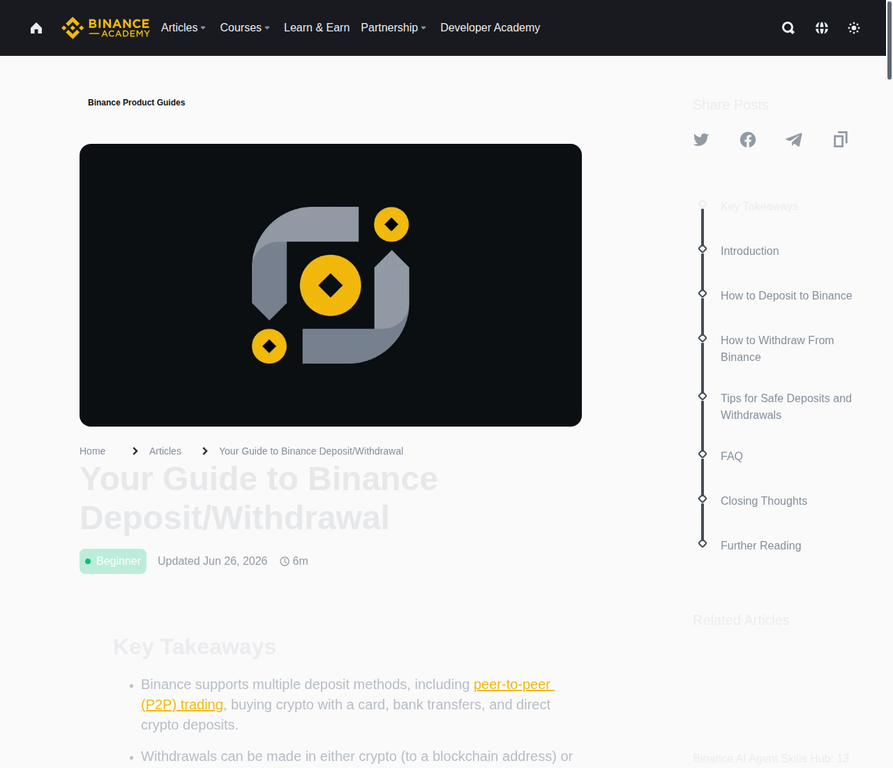
Binance's deposit guide says the selected network on Binance must match the network used by the sender. A mismatch can result in permanent loss. The HYPE symbol alone is not enough to identify a safe deposit route because a token symbol can be copied by unrelated assets.
- Asset: Confirm that the Binance deposit page identifies the asset as HYPE.
- Network: Select only a network that Binance currently displays for HYPE and that the sending platform supports for the same asset.
- Address: Copy the address generated by Binance. Do not use an address from a search result, social-media post or another user's message.
- Contract reference: Binance's listing notice gives HYPE's smart-contract address as 0x0d01dc56dcaaca66ad901c959b4011ec. Treat it as a verification reference, not as a replacement for the deposit page's network and address instructions.
- Account status: Binance says users must complete account verification to trade the new pairs, subject to regional eligibility.
How do you deposit HYPE to Binance safely?
Open Binance's crypto-deposit screen, select HYPE and the supported network, copy the generated address, paste it into the sending platform, and verify every detail before broadcasting the transfer.
Step-by-Step Deposit Guide
- Open the official Binance app or website. Sign in through the official domain or application. Avoid links sent through unsolicited messages.
- Open the deposit flow. Choose Deposit, then Deposit Crypto.
- Select HYPE. Search for Hyperliquid or HYPE and confirm that the selected asset is the one named in Binance's listing and deposit interface.
- Select the network. Choose the network Binance currently supports for HYPE deposits. The same network must be selected on the sending wallet or exchange.
- Copy the Binance deposit address. Use the copy control rather than typing the address manually. If Binance displays a memo or tag, copy and include it exactly as instructed.
- Open the sending wallet or exchange. Choose HYPE, paste the Binance address and select the identical network there.
- Perform a final check. Compare the first and last characters of the address, confirm the network on both platforms, review the amount and check any memo or tag requirement.
- Send the transfer. Keep the transaction ID and monitor Binance's deposit history. The balance becomes available only after the transfer is processed according to the applicable network and exchange requirements.
Safety rule: Never select a network because it appears cheaper or faster. It must be supported by Binance for HYPE and match the network used by the sending platform.
Which deposit method should you use?
Use a direct crypto deposit when you already hold HYPE elsewhere. Use another funding method only if you are not transferring HYPE from an external wallet or exchange.
| Method | Use it when | What you must verify | Primary failure risk |
|---|---|---|---|
| Direct HYPE deposit | You already hold HYPE in another wallet or exchange | HYPE asset, Binance address, exact network, memo or tag if shown | Wrong network or wrong address can cause permanent loss |
| Buy Crypto | You want to acquire crypto through an available Binance payment method | Region, payment method, asset selection, fees and final quote | Availability and conditions vary by region and provider |
| P2P | You want to buy crypto from another user using an available local payment method | Seller terms, payment instructions and Binance's P2P workflow | Leaving the platform or following off-platform instructions |
| Bank or fiat deposit | You want to fund Binance with fiat before acquiring an asset | Supported currency, bank method and regional availability | Processing times and eligibility differ by country |
How do you trade HYPE on Binance Spot?
Open Binance Spot, search for an available HYPE pair, select the order type, enter the amount and price where required, review the order and submit it only after confirming the pair and account balance.
Step-by-Step Spot Trading Guide
- Open Spot Trading. Use Binance's Trade menu and select the Spot interface.
- Search for HYPE. Choose HYPE/USDT, HYPE/USDC or HYPE/TRY if the pair is available to your verified account and region.
- Check the interface. Review the chart, order book, available balance, recent trades and the selected quote currency.
- Choose an order type. A Market order executes at the best available current prices. A Limit order executes only at the price you specify or a better available price.
- Enter the order details. Specify the amount of HYPE to buy or sell. For a Limit order, enter the price as well.
- Review the order. Confirm the side, pair, quantity, price, estimated total and any displayed trading fee before submission.
- Submit and verify status. Check whether the order is filled, partially filled, open or cancelled in the order panel and trade history.
Binance Academy describes Spot trading as the direct purchase or sale of an asset using the trader's own funds. Unlike Margin or Futures, Spot trading does not involve borrowed funds or leverage by default. That does not eliminate price risk: HYPE can still move against an open position, and a market order can fill across multiple price levels when liquidity is limited.
Which Binance Spot order type is appropriate?
Choose a Market order when immediate execution at the best available prices is the priority; choose a Limit order when you want to specify the price and accept that the order may remain unfilled.
| Order type | How it works | Main trade-off |
|---|---|---|
| Market | Executes immediately at the best available prices in the order book | Final average price can differ from the first displayed price, especially in a thin book |
| Limit | Places an order at a specified price; it fills only if matching liquidity becomes available | The order may remain open or never fill |
| Stop-Limit | Uses a stop trigger to place a limit order | After triggering, the limit order still may not fill |
| OCO | Places a limit order and a stop-limit order together; filling one cancels the other | Requires understanding both linked orders and their triggers |
What does Binance's Seed Tag mean for HYPE?
Binance has applied its Seed Tag to HYPE and requires users to pass the relevant risk quiz every 90 days and accept the Terms of Use to trade Seed Tag tokens on Spot and/or Margin where supported.
Binance describes HYPE as a relatively new token with higher-than-normal risk and a likelihood of high price volatility. A Seed Tag is a warning and access-control measure; it is not a prediction of price direction and does not remove the possibility of loss.
- Look for the Seed Tag and risk-warning banner on the relevant Binance trading page.
- Complete the quiz before attempting to trade if Binance prompts you to do so.
- Expect the quiz requirement to recur every 90 days under Binance's stated policy.
- Use only funds you can afford to lose and avoid treating Spot trading as risk-free.
Which users may be unable to trade the HYPE pairs?
Binance says trading eligibility depends on the user's country or region of residence and account verification, and its published restricted list may change.
At the time of the listing notice, Binance said the new Spot pairs were unavailable to users residing in Canada, Cuba, the Crimea Region, Iran, the Netherlands, North Korea, Syria, the United States and its territories, and non-government-controlled areas of Ukraine. This list is subject to change because of legal, regulatory and other factors.
The HYPE/TRY pair has an additional condition: Binance says it is available only to users with verified Binance TR accounts. Check the eligibility displayed in your own account rather than relying only on a general article.
What security checks should you complete before trading?
Use official Binance channels, complete account verification, keep two-factor authentication active and review every deposit and order detail before confirming.
- Official access: Open Binance through the official app or website.
- 2FA: Keep two-factor authentication enabled as an account-protection layer.
- Address safety: Copy deposit addresses directly from Binance and verify them before sending.
- Network safety: Match the Binance network with the sender's network exactly.
- Order safety: Confirm the pair, side, order type, quantity and price before submitting.
- Fraud safety: Ignore requests to send funds to a private address to unlock a listing, withdrawal or reward.
What should you do if a HYPE deposit does not appear?
Check the transaction ID, network, deposit address, selected asset and Binance deposit history before contacting official support.
- Confirm that the sending transaction is completed on the source wallet or exchange.
- Verify that the asset sent was HYPE and that the network matched Binance's selected network.
- Compare the destination address with the address generated by Binance.
- Check whether Binance shows the deposit as pending, credited or unavailable.
- Use Binance's official support channel if the details are correct but the deposit remains unresolved.
Do not send a second transfer merely because the first one is delayed. A second transfer can create a larger loss if the original problem was a wrong address, wrong network or unsupported asset.
Frequently Asked Questions (FAQs)
Q: When does HYPE Spot trading open on Binance?
A: Binance's official listing notice schedules HYPE Spot trading for 11:00 UTC on September 24, 2026. Confirm the live status in your account before placing an order.
Q: Which HYPE Spot pairs does Binance list?
A: The listing notice names HYPE/USDT, HYPE/USDC and HYPE/TRY. The TRY pair is restricted to users with verified Binance TR accounts.
Q: What network should I use to deposit HYPE?
A: Use only a network currently displayed by Binance for HYPE deposits, and select the same network on the sending wallet or exchange. Binance's public listing notice does not replace the live deposit screen's network instructions.
Q: Can I trade HYPE without leverage on Binance?
A: Binance Spot trading uses the user's own funds and does not involve borrowed funds or leverage by default. Margin and Futures are separate products with different mechanics and risks.
Q: Why is Binance showing a Seed Tag for HYPE?
A: Binance says HYPE is a relatively new token with higher-than-normal risk and likely high volatility. Trading access requires the corresponding quiz every 90 days and acceptance of the Terms of Use where applicable.
Q: Are HYPE withdrawals available immediately after listing?
A: Binance scheduled withdrawals for 11:00 UTC on September 25, 2026, but called that time an estimate. Check the withdrawal page for the actual status.
What is the safest next step?
First confirm that HYPE Spot trading is live for your verified account, then use Binance's live deposit page to select the correct network before sending funds. After the deposit is credited, choose the HYPE pair and order type only after reviewing the order book and the Seed Tag warning.
- Open the official Binance app or website.
- Confirm the HYPE pair and regional eligibility.
- Match the deposit network exactly.
- Complete the Seed Tag quiz if prompted.
- Start with a fully reviewed Spot order and monitor its status.
Disclaimer: Not Financial Advice. All content is for educational purposes only. Cryptocurrency investing involves high risk and extreme volatility. Do your own research (DYOR). The author is not liable for any financial losses.