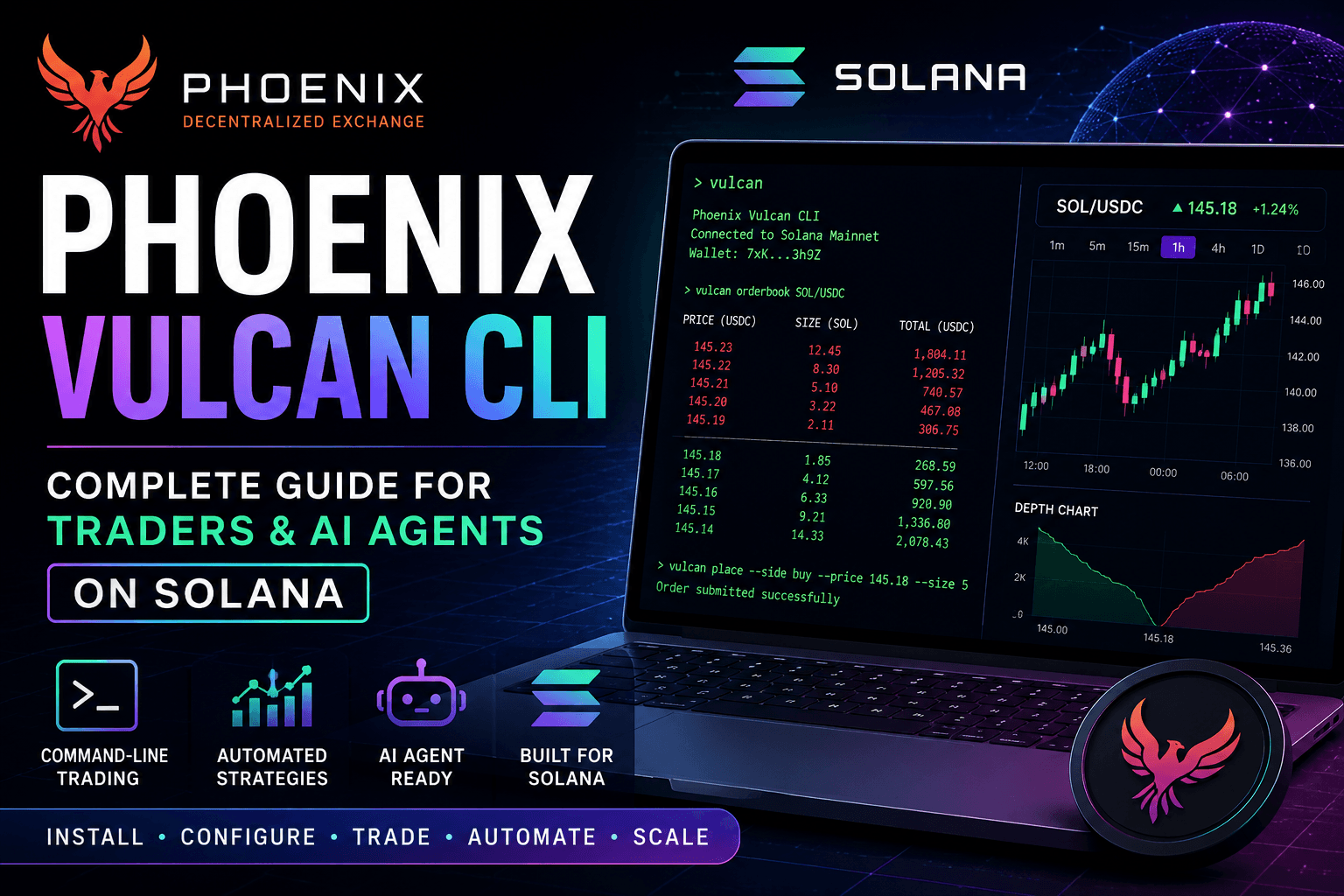




As on-chain trading infrastructure evolves, automated trading systems and AI-powered agents are becoming a major force across decentralized finance. Within the Solana ecosystem, Phoenix Vulcan CLI is emerging as one of the most important command-line trading tools for developers, quantitative traders, market makers, and autonomous AI agents.
Built around the high-performance Phoenix decentralized exchange, Vulcan CLI enables users to interact directly with Solana-based order books, automate execution strategies, manage liquidity operations, and build low-latency trading systems optimized for real-time market activity.
This complete guide explains how to install Phoenix Vulcan CLI, configure wallets, connect to Solana RPC endpoints, execute trades, and integrate AI-driven automation for professional-grade trading workflows.
Table of Contents
1. What is Phoenix Vulcan CLI?2. Why Vulcan CLI Matters for Solana Traders & AI Agents
3. System Requirements Before Installation
4. How to Install Phoenix Vulcan CLI
5. Wallet & RPC Configuration
6. Important Vulcan CLI Commands
7. Using Vulcan CLI for AI Trading Agents
8. Vulcan CLI vs Traditional Trading APIs
9. Benefits of Vulcan CLI on Solana
10. Risks & Challenges
11. Future Outlook for AI Trading on Solana
12. Final Thoughts
FAQ
Before diving into Phoenix Vulcan CLI, beginners may first explore the Phoenix trading to better understand Solana order books, liquidity mechanics, and decentralized trading execution.
1. What is Phoenix Vulcan CLI?
Phoenix Vulcan CLI is a command-line trading interface designed for interacting directly with the Phoenix order book exchange on Solana. It allows developers and traders to execute trades programmatically, monitor markets, manage orders, and automate trading strategies with minimal latency.
Order Book Trading
Direct interaction with on-chain limit order books.
Low Latency
Optimized execution speed for algorithmic strategies.
Automation Ready
Designed for bots, scripts, and AI-driven execution systems.
Solana Native
Built specifically for Solana's high-throughput environment.
Unlike traditional browser-based DEX interfaces, Vulcan CLI gives professional traders deeper control over execution logic, automation workflows, and market-making infrastructure.
2. Why Vulcan CLI Matters for Solana Traders & AI Agents
The rise of AI-powered trading systems and algorithmic market execution has created growing demand for infrastructure that supports direct blockchain interaction. Vulcan CLI is increasingly important because it removes interface limitations and allows machine-driven execution at scale.
Average Solana Block Time
~400 milliseconds for rapid transaction settlement
AI Trading Growth
Rising institutional interest in autonomous execution systems
Market Maker Demand
Professional liquidity providers increasingly rely on automated infrastructure
Primary Use Case
High-frequency trading, arbitrage, liquidity management, and AI execution strategies
Key Insight: AI agents require deterministic execution environments, and command-line infrastructure like Vulcan CLI provides the precision and automation flexibility needed for scalable on-chain trading.
3. System Requirements Before Installation
Before installing Phoenix Vulcan CLI, users should ensure their system environment is properly configured for Solana development and trading operations.
| Requirement | Purpose |
|---|---|
| Node.js | Required for package management and dependencies |
| Rust Toolchain | Supports Solana-native development utilities |
| Solana CLI | Wallet configuration and blockchain interaction |
| RPC Provider | Enables low-latency network communication |
| Terminal Access | Required for command-line execution |
4. How to Install Phoenix Vulcan CLI
The installation process typically involves configuring Solana dependencies, cloning the Vulcan repository, and setting up environment variables for wallet authentication and RPC connectivity.
Step 1 — Install Solana CLI
Download and configure the official Solana command-line tools for wallet and blockchain access.
Step 2 — Configure Wallet
Create or import a Solana wallet and securely store private keys or seed phrases.
Step 3 — Connect RPC Endpoint
Use high-performance RPC infrastructure for stable low-latency trading execution.
Step 4 — Install Vulcan CLI Dependencies
Install required packages and compile the trading environment.
Step 5 — Run Trading Commands
Execute market queries, place orders, monitor liquidity, and automate execution workflows.
# Example Solana CLI Configuration

solana config set --url https://api.mainnet-beta.solana.com

# Generate wallet
solana-keygen new

# Check wallet balance
solana balance

# Verify RPC connectivity
solana cluster-version
Professional traders typically combine Vulcan CLI with dedicated RPC providers to reduce execution delays during periods of heavy market volatility.
5. Wallet & RPC Configuration
Proper wallet and RPC configuration is critical for secure and efficient trading operations. Poor RPC performance can significantly impact execution speed, increase slippage, and reduce trading efficiency during volatile market conditions.
1. Wallet Generation
Create or import a Solana wallet for signing and executing transactions securely.
2. RPC Endpoint Selection
Connect to a high-performance RPC provider for low-latency blockchain communication.
3. Environment Configuration
Set environment variables, API keys, and wallet paths for Vulcan CLI access.
4. Trading Permissions & Signing
Authorize transaction signing and prepare the trading environment for execution.
5. Live Market Execution
Start monitoring markets, placing orders, and running automated trading strategies.
6. Important Vulcan CLI Commands
| Command | Function | Example Use Case |
|---|---|---|
vulcan markets
|
Displays available Phoenix trading markets | Checking SOL/USDC or BTC markets before trading |
vulcan orderbook SOL/USDC
|
Shows live order book depth | Monitoring liquidity and spread conditions |
vulcan place-order
|
Places buy or sell limit orders | Executing algorithmic trading strategies |
vulcan cancel-order
|
Cancels active open orders | Reducing exposure during volatility spikes |
vulcan balances
|
Checks wallet balances and token holdings | Verifying capital before automated execution |
7. Using Vulcan CLI for AI Trading Agents
One of the fastest-growing use cases for Vulcan CLI is autonomous AI-driven trading. AI agents can use Vulcan CLI infrastructure to analyze market conditions, place trades, rebalance portfolios, and execute quantitative strategies automatically.
-
Market Making Bots: Automated liquidity provisioning across volatile trading pairs
Example: AI adjusts spreads dynamically based on market volatility and liquidity conditions. -
Arbitrage Systems: Cross-platform price inefficiency detection
Example: AI identifies temporary price differences between Solana DEXs and executes instant trades. -
Risk Management Automation: Portfolio protection systems
Example: AI automatically reduces exposure during sudden volatility spikes. -
High-Frequency Execution: Rapid order placement and cancellation
Example: Quantitative trading systems reacting within milliseconds to order book movements.
8. Vulcan CLI vs Traditional Trading APIs
| Category | Centralized Exchange APIs | Phoenix Vulcan CLI |
|---|---|---|
| Custody | Exchange-controlled funds | Self-custodial wallet control |
| Execution Environment | Off-chain matching engine | On-chain order book infrastructure |
| Transparency | Limited visibility | Fully verifiable blockchain activity |
| AI Integration | Restricted API environments | Flexible automation infrastructure |
| Settlement Speed | Internalized exchange settlement | Fast Solana-native transaction finality |
9. Benefits of Vulcan CLI on Solana
Why Solana Infrastructure Benefits Automated Trading Systems
Low Transaction Costs
Supports large-scale algorithmic trading activity
Execution Speed
Critical for arbitrage and HFT systems
Scalability
Supports multiple automated agents simultaneously
On-Chain Transparency
All execution activity remains verifiable
These infrastructure advantages are why Solana continues attracting quantitative traders, AI researchers, and professional liquidity providers building next-generation decentralized trading systems.
10. Risks & Challenges
Despite its advantages, Vulcan CLI and AI-driven trading systems also introduce operational and market risks that traders must understand before deploying automated strategies.
Smart Contract Risk: Vulnerabilities or protocol-level failures could impact execution or fund safety.
RPC Instability: Poor RPC performance may cause delayed execution and failed transactions.
Algorithmic Failure: Incorrect AI or bot logic can amplify trading losses rapidly during volatile conditions.
Market Volatility: High-speed execution environments can intensify liquidation and slippage risks.
11. Future Outlook for AI Trading on Solana
AI-driven finance is expected to become one of the largest structural shifts in decentralized trading over the next several years. Infrastructure like Vulcan CLI could become foundational for autonomous market systems operating across Solana-based liquidity networks.
| Emerging Trend | Potential Impact |
|---|---|
| Autonomous AI Traders | 24/7 market participation without human intervention |
| Cross-DEX Routing | Improved capital efficiency across ecosystems |
| Advanced Quant Models | Machine learning-driven execution optimization |
| Institutional DeFi Expansion | Growing participation from professional trading firms |
As decentralized infrastructure matures, command-line trading systems like Vulcan CLI may become essential tooling for next-generation crypto market infrastructure.
12. Final Thoughts
Phoenix Vulcan CLI represents a major step forward in professional-grade decentralized trading infrastructure on Solana. By combining direct order book access, automation support, low-latency execution, and AI compatibility, it enables traders and developers to build highly sophisticated on-chain trading systems.
Key Takeaway: The future of decentralized trading is increasingly automated, AI-driven, and infrastructure-focused — and Phoenix Vulcan CLI is positioned at the center of that transition on Solana.
Developer Impact: Builders can use Vulcan CLI to create advanced trading bots, quantitative strategies, liquidity systems, and autonomous execution agents directly on-chain.
Long-Term Outlook: As AI and decentralized finance converge, command-line execution infrastructure could become one of the most valuable layers in crypto trading ecosystems.
For traders, developers, and AI researchers exploring the future of on-chain automation, Phoenix Vulcan CLI is becoming an increasingly important tool within the Solana ecosystem.
Frequently Asked Questions (FAQ)
What is Phoenix Vulcan CLI?
A command-line trading tool designed for interacting with Phoenix DEX order books on Solana.
Can AI agents use Vulcan CLI?
Yes, Vulcan CLI is highly suitable for AI-powered automation, trading bots, and algorithmic execution systems.
Is Vulcan CLI beginner-friendly?
It is more suitable for intermediate to advanced users familiar with Solana CLI tools and terminal environments.
Why is Solana important for automated trading?
Solana offers low fees, fast execution, and high throughput, making it ideal for algorithmic trading systems.
Do traders need an RPC provider?
Yes, professional-grade RPC infrastructure is critical for reliable low-latency trading execution.
Can Vulcan CLI support market-making strategies?
Yes, many market makers and quantitative traders can use Vulcan CLI for liquidity provisioning and automated execution.