



Summary:
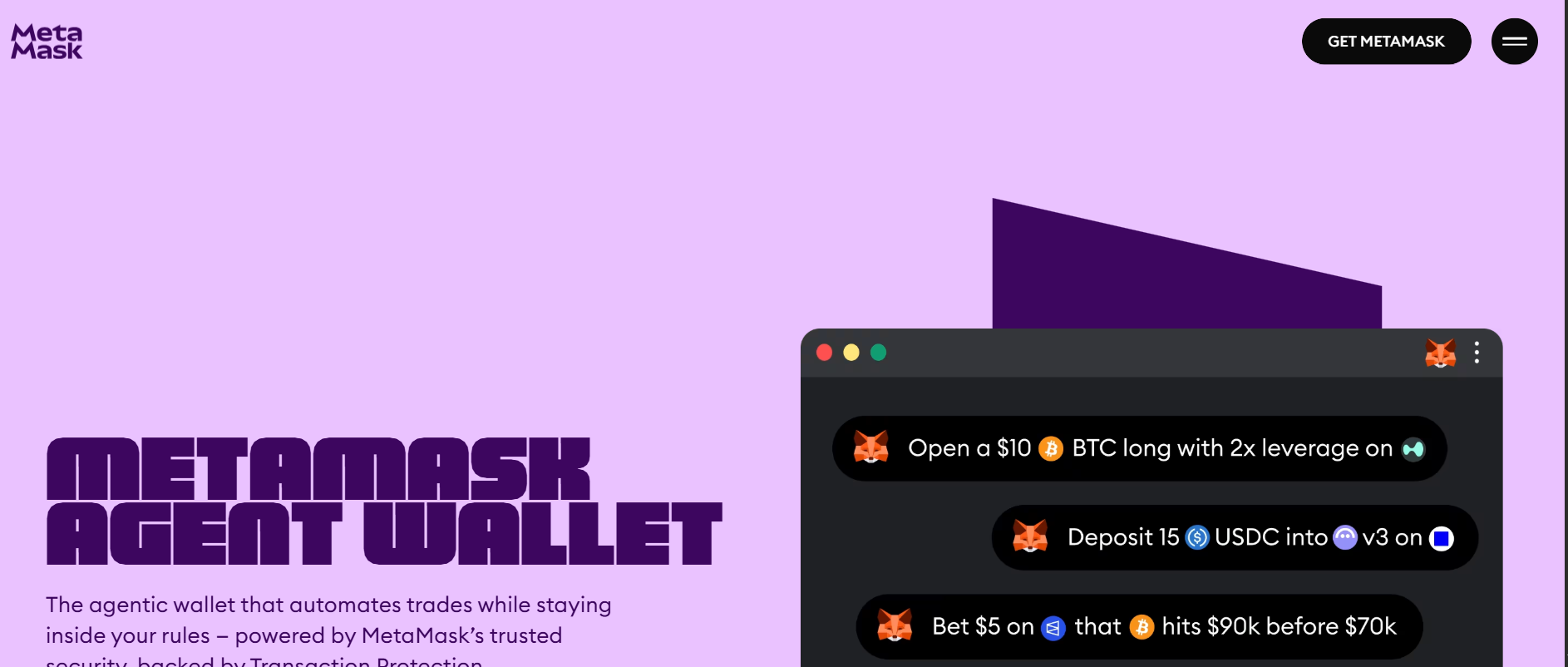
- MetaMask Agent Wallet is a self-custodial wallet designed for AI agents. The agent can act autonomously, but only within rules configured by the user.
- Users can set spend limits, protocol allowlists, and risk preferences, then choose Guard Mode or Beast Mode.
- Supported EVM transactions pass through simulation, Blockaid-powered threat scanning, and Smart Transactions with MEV protection before execution.
- Actions outside policy or flagged by security checks can require human approval through two-factor authentication.
What problem is MetaMask Agent Wallet designed to solve?
It is designed to let software transact onchain without giving the software unrestricted authority over a user’s funds. A conventional wallet is generally organized around a person reviewing and approving individual transactions. An agentic wallet adds a policy and execution layer for software that may repeatedly check information, prepare transactions, and act at machine speed.
MetaMask’s model is therefore not “connect an AI model and let it sign anything.” The user first defines boundaries; the agent then attempts actions through the Agent Wallet CLI; and supported transactions are checked before they reach the blockchain. This distinction is the core of the product.
Key insight: The AI agent makes decisions and issues wallet commands, but the wallet is intended to enforce the user’s limits and security checks at the execution boundary.
How do I set up MetaMask Agent Wallet?
Follow the following steps to set up your own agent wallet:
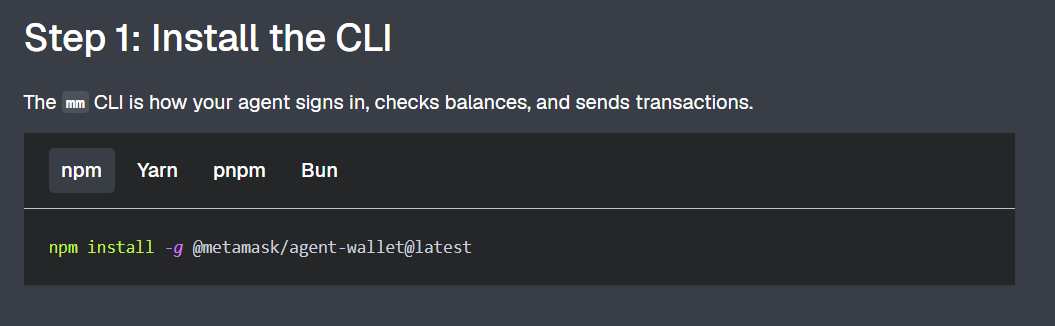
Install the Core Tool
Run the official installation command in your terminal to deploy the core command-line tool. This gives you access to the local runtime environment needed to initialize and control your trading agent.
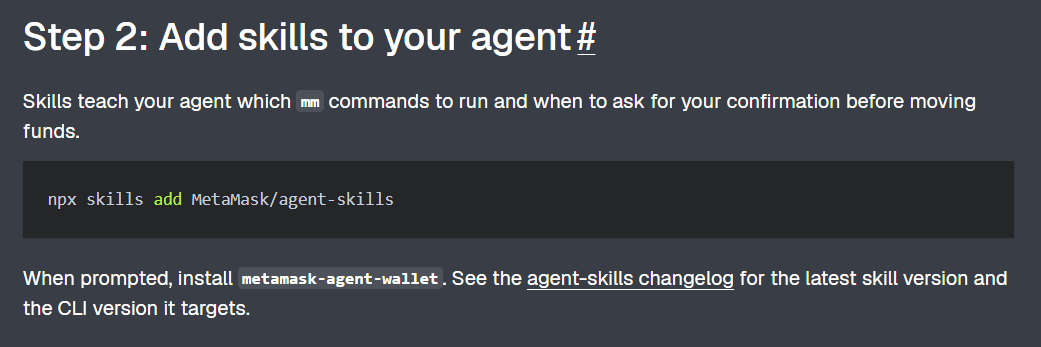
Expand Agent Capabilities
Integrate specific protocol plugins and capability modules into your agent's configuration profile. This step expands your agent's command surface, teaching it how to interact with EVM networks and DeFi applications.
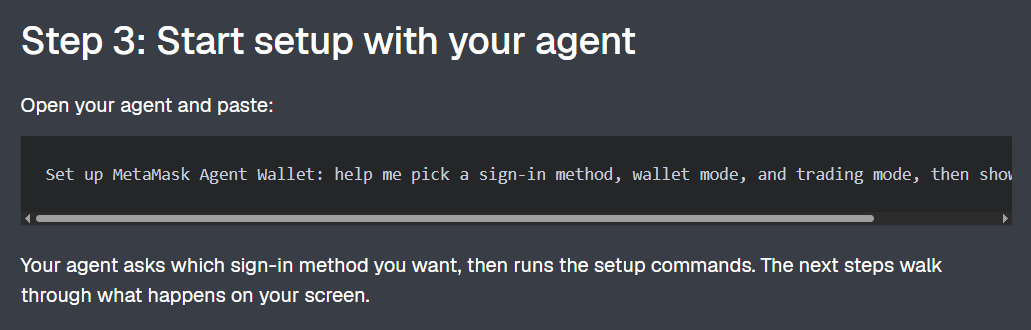
Initialize Agent Configuration
Launch the setup prompt using natural language to begin the wallet creation sequence. Your agent will establish its local environment and prepare to link with the MetaMask backend network.
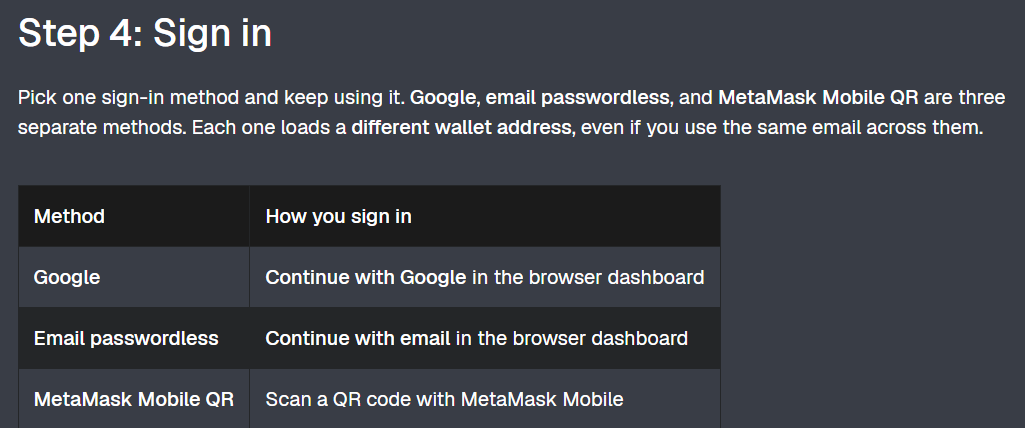
Authenticate and Sign In
Execute the secure login command to authenticate your identity via Google, email, or a MetaMask Mobile QR code. This step securely pairs your administrative control access with the newly created server-wallet.
Configure Your Custody Model
Instruct your agent on how it should hold, manage, and isolate trading funds under self-custody. This setting determines how your private keys are secured and defines the boundaries of your agent's financial autonomy.
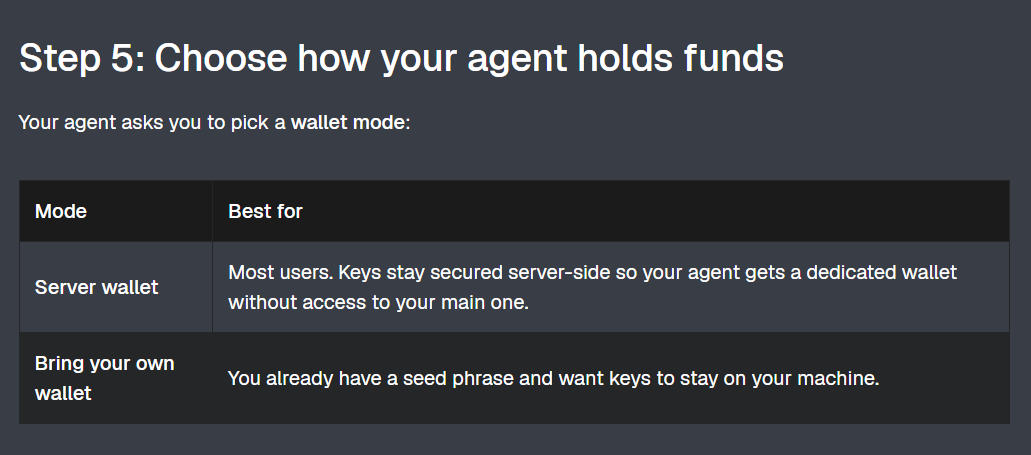
Establish Risk Guardrails
Select your agent's active operational framework by choosing between a restricted policy or a high-frequency mode. This configures automated allowlists, rolling 24-hour outflow limits, and mandatory 2FA escalation triggers.
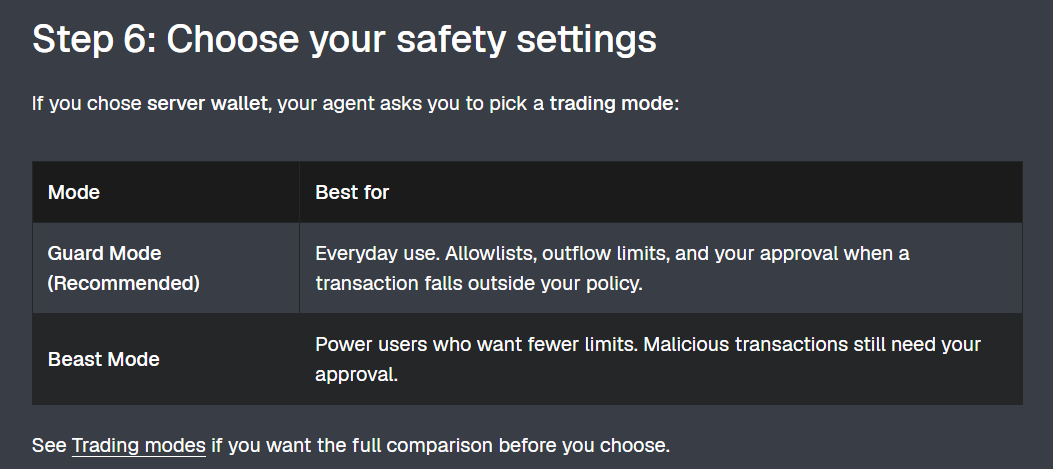
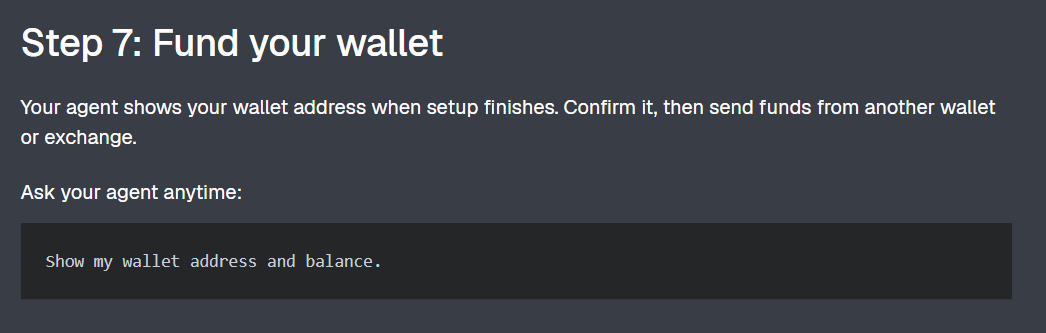
Fund your Wallet
Deposit native or ERC-20 crypto assets directly into your verified server-wallet destination address. Your agent monitors this balance to fund gas fees and execute your automated trading strategies.
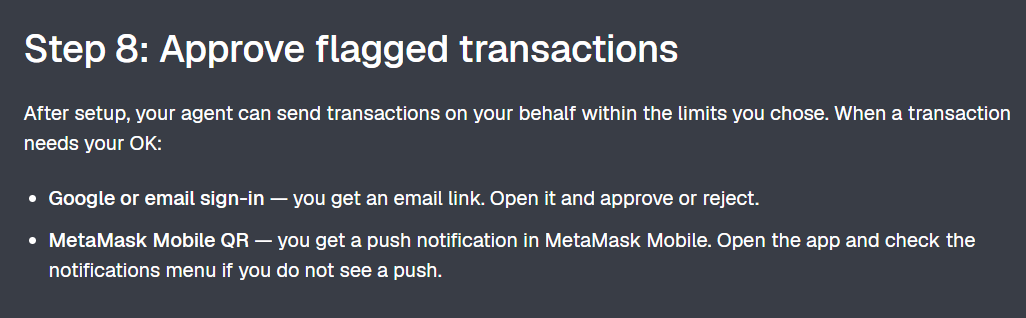
Manage Out-of-Policy Exceptions
Review and manually sign off on any anomalous or high-risk transactions flagged by the automated safety pipeline. This step acts as your manual security checkpoint whenever the agent triggers an allowlist or budget exception.
 Source: MetaMask Agent Wallet
What can the agent actually do?
The documented command surface covers more than one type of trade. The exact availability depends on supported chains, protocols, account configuration, and the current CLI release; readers should verify the live documentation before relying on a specific workflow.
- Spot activity: query balances and market data, transfer native tokens or ERC-20 tokens, and quote or execute swaps.
- Cross-chain activity: quote, execute, and track supported bridges.
- Perpetuals: deposit, open, modify, and close positions on Hyperliquid according to the documentation.
- Prediction markets: search, quote, trade, and redeem on Polymarket, subject to availability and the relevant platform’s terms.
- Yield and lending: supply or withdraw from supported yield vaults and manage Aave V3 positions.
- Payments: pay for supported HTTP 402 offers through x402 payment workflows.
Risk warning: A wallet that can automate swaps, leverage-related positions, prediction-market orders, lending, or payments can also automate losses. MetaMask’s controls reduce particular execution risks; they do not make a strategy profitable, eliminate market risk, or replace independent review of the agent’s instructions.
How does the security model work?
MetaMask describes a three-step security pipeline for supported EVM transactions before they land onchain. The checks are designed to make the transaction’s effects more legible, identify malicious behavior, and reduce value leakage during execution.
| Step | What MetaMask says it does | What the reader should understand |
|---|---|---|
| 1. Transaction simulation | Surfaces expected balance changes, approvals, and gas routing before signing. | It is a preview of intended effects, not a guarantee that market conditions will remain unchanged. |
| 2. Threat scanning | Powered by Blockaid; malicious transactions are auto-bounced or require approval when flagged. | A security service can catch known or detectable threats, but no scanner can make all onchain activity risk-free. |
| 3. Smart Transactions | Provides smart execution with built-in MEV protection, fewer failed transactions, and better gas where supported. | Coverage and behavior depend on the target chain and transaction type. |
MetaMask also advertises Transaction Protection coverage of up to $10,000 per month for eligible transactions that meet the program’s requirements. This is not an unconditional guarantee: eligibility, coverage limits, exclusions, and terms apply.
How does Agent Wallet compare with a regular wallet or a CEX-based agent wallet?
The main distinction is where autonomy, custody, and enforcement sit. MetaMask’s own comparison frames a regular wallet as requiring manual approval for each transaction, while a CEX-based agent wallet generally keeps the agent within one exchange’s custody and execution environment.
| Dimension | Regular self-custody wallet | MetaMask Agent Wallet | CEX-based agent wallet |
|---|---|---|---|
| Primary operator | Human | AI agent operating within user policy | AI agent within an exchange environment |
| Custody model | User controls keys | MetaMask describes it as self-custodial; keys are exportable | Typically exchange custody; confirm the specific product’s terms |
| Approval pattern | Usually manual approval per transaction | Routine actions can run inside policy; exceptions can trigger 2FA | Depends on the exchange and agent product |
| Execution surface | Wallet-connected applications | Supported EVM chains plus documented integrations such as Hyperliquid and Polymarket | Usually concentrated on one exchange |
| Pre-execution controls | Wallet-dependent | Simulation, threat scanning, MEV protection, policy limits, and escalation paths for supported transactions | Product-specific |
Frequently Asked Questions (FAQs)
Q1: Is MetaMask Agent Wallet self-custodial?
A: MetaMask describes it as self-custodial. The official FAQ says users retain control of their keys and can export the Secret Recovery Phrase; it also describes server-wallet and bring-your-own-wallet options.
Q2: Does the AI agent get unlimited access to my main wallet?
A: The product is designed around a separate agent wallet and user-defined policies rather than unrestricted authority over a primary wallet. Users should still verify the active configuration and funding before enabling automation.
Q3: Can the agent trade perpetuals?
A: The documentation lists Hyperliquid perpetuals capabilities, including depositing, opening, modifying, and closing positions. Availability depends on the supported chain, account setup, and current CLI version.
Q4: What happens if the agent tries a malicious or out-of-policy transaction?
A: MetaMask says malicious transactions can be blocked or auto-bounced by threat scanning, while flagged or policy-violating actions can be surfaced for 2FA approval.
Disclaimer:
This article is for informational purposes only and does not constitute financial or investment advice. Always refer to MetaMask’s official documentation and terms for the most accurate and up-to-date information.