Summary
- Set up and back up a Bitcoin-compatible personal wallet before you begin.
- Copy the wallet’s Bitcoin receiving address; do not use a Bitcoin Lightning or
bc1pTaproot address because Robinhood’s current support page says those formats are not supported for withdrawals. - In Robinhood Crypto, open Bitcoin, choose Send, paste the address, enter the amount, review the network fee, and submit.
- Send a small test amount first if you are unfamiliar with the process. A blockchain transfer cannot be canceled or reversed after submission.
What is the difference between Robinhood Crypto and a personal wallet?
Robinhood Crypto is custodial, while a personal self-custody wallet gives you control of the private keys. In Robinhood Crypto, the platform manages the keys for the crypto held in your account. In a self-custody wallet, you are responsible for the recovery credentials and for authorizing transactions.
| Feature | Robinhood Crypto account | Personal self-custody wallet |
|---|---|---|
| Who controls the keys? | Robinhood manages the keys for the custodial account. | You hold and protect the wallet’s private keys or recovery phrase. |
| Who authorizes outgoing transfers? | You request a withdrawal through Robinhood’s app. | You authorize the transaction in the wallet. |
| Recovery if credentials are lost | Account recovery is handled through Robinhood’s account process. | If self-custody keys are lost, there may be no recovery option. |
| Bitcoin transfer model | Send BTC to a supported Bitcoin address. | Receive BTC using the wallet’s Bitcoin receiving address. |
What should you prepare before sending Bitcoin?
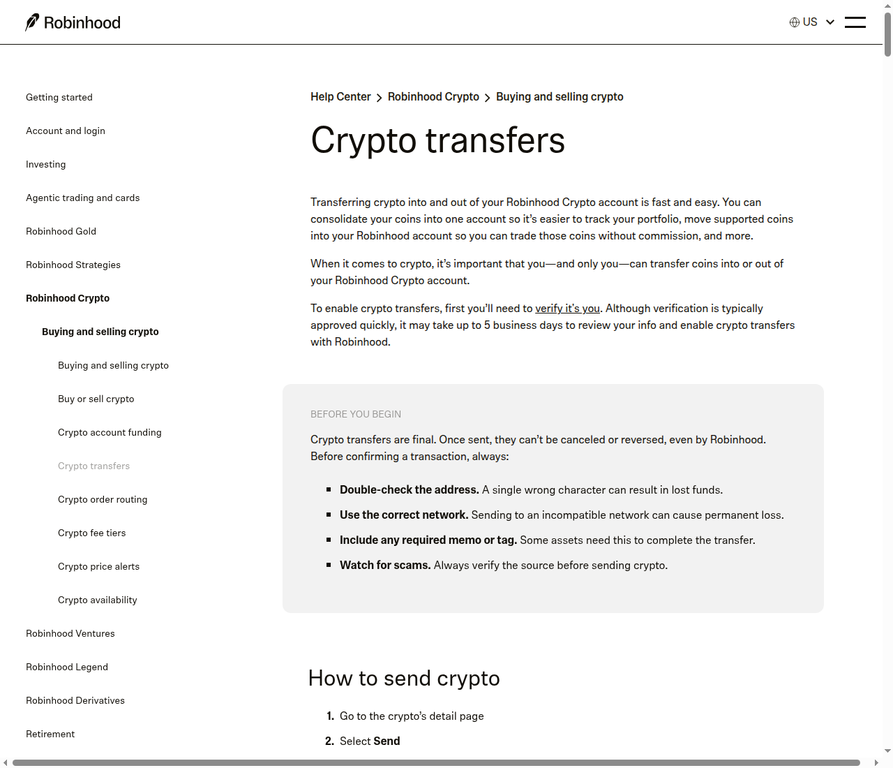
Prepare the destination wallet and verify its Bitcoin receiving address before opening Robinhood’s send screen. Robinhood’s current support guidance says identity verification is required to enable crypto transfers, and review may take up to five business days.
- Open your personal wallet and choose Receive or its equivalent for Bitcoin (BTC).
- Copy the address shown specifically for Bitcoin. Robinhood currently supports Bitcoin withdrawal addresses beginning with
1,3, orbc1q. It does not currently support Lightning transactions or addresses beginning withbc1p. - Confirm that the wallet is ready to receive on the Bitcoin network. Do not substitute an address for another asset or network.
- Back up the personal wallet using its documented recovery method. Never share the recovery phrase with anyone, including someone claiming to be support staff.
Warning: the address is the destination.
A single wrong character, an incompatible network, or an unsupported address format can cause permanent loss. A QR code is convenient, but compare the full scanned address with the address displayed in the wallet.
How do you send Bitcoin from Robinhood to the wallet?
The actual Robinhood workflow is short:
Open Bitcoin: Go to the BTC detail page.Select Send: Start an outbound transfer.Enter the details: Paste the BTC address and amount.Review and submit: Check every detail before confirming.
- In Robinhood, open the Bitcoin detail page and select Send.
- Paste the receiving wallet’s Bitcoin address. Do not type from memory. Compare the first and last five characters, and confirm the full address when possible.
- Enter the BTC amount. Check the decimal place carefully before continuing.
- Review the destination address, asset, amount, and displayed network-fee estimate. Robinhood says the network fee is shown before you finalize the transfer.
- Select Submit only after the details match the receiving wallet. Save the transaction hash or block-explorer link provided by Robinhood.
Fees and timing are not fixed.Robinhood says it does not charge an extra transfer fee, but each on-chain transaction incurs a network fee. Withdrawal limits vary by account and may change. The app displays the applicable fee estimate and your available limit before submission.
How can you verify that the Bitcoin arrived?
Use the transaction hash to monitor the transfer, then confirm the balance in the receiving wallet. Robinhood says a block explorer can show the transaction status, recipients, senders, and confirmation count.
- Check that the transaction’s recipient matches your personal wallet address.
- Wait for the wallet and network to show the transaction as received or confirmed.
- Do not send BTC back to a Robinhood-managed sender address shown in the transaction; Robinhood warns that such an address is not necessarily your personal deposit address.
What are the biggest mistakes to avoid?
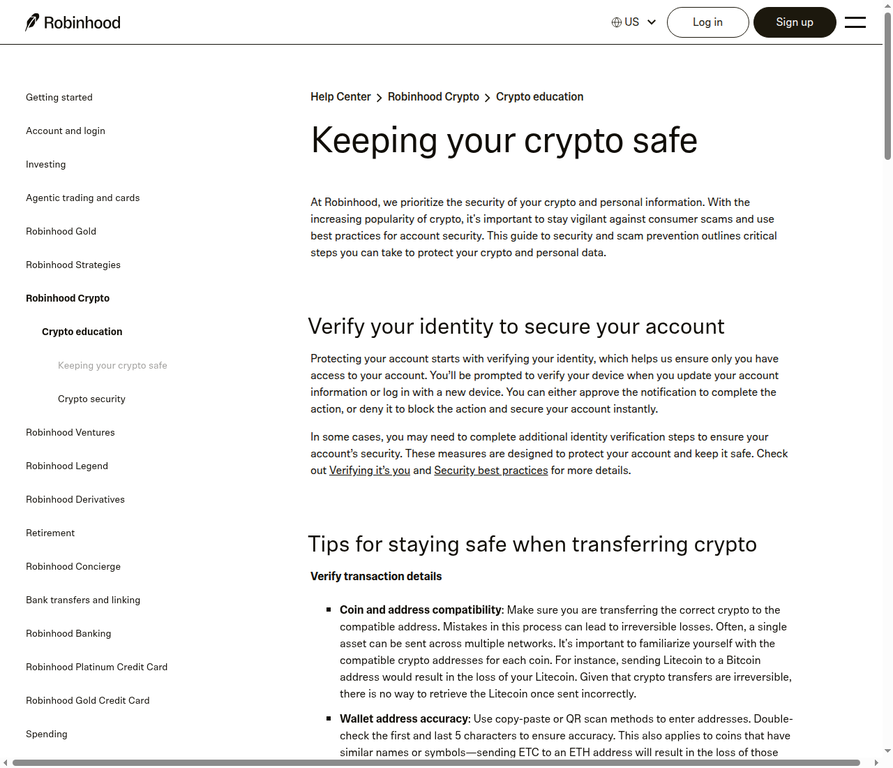
Most irreversible errors come from sending the wrong asset, using the wrong address, or exposing the wallet’s recovery credentials. Use this final checklist immediately before submission.
- Wrong asset: Confirm the asset is Bitcoin (BTC), not Bitcoin Cash or another similarly named coin.
- Wrong network: Send BTC only to a Bitcoin address supported by both services.
- Unsupported address: Do not use Lightning or
bc1pTaproot for a Robinhood BTC withdrawal under the current support rules. - Wrong amount: Recheck decimal places and the amount that will arrive after the displayed network fee.
- Scam or impersonation: Ignore unsolicited requests for passwords, two-factor codes, remote access, crypto payments, or recovery phrases.
- No backup: Secure the self-custody wallet’s recovery method before relying on it to hold funds.
What should you do next?
- Start with a supported Bitcoin address
- Verify it independently
- Use a small test transfer if appropriate for your situation, Before sending a larger amount
Review the current Robinhood help page and your wallet provider’s receiving instructions. Treat the final Robinhood review screen as the authoritative check for the available limit and network-fee estimate.
Frequently Asked Questions (FAQs)
Q: Can I cancel a Bitcoin transfer after submitting it?
A: No. Robinhood says crypto transfers are final and cannot be canceled or reversed after they are sent.
Q: Does Robinhood support every Bitcoin address type?
A: No. Robinhood’s current guidance lists addresses beginning with 1, 3, and bc1q for Bitcoin withdrawals. It says Lightning transactions and bc1p Taproot addresses are not currently supported.
Q: How much does it cost to send BTC from Robinhood?
A: Robinhood says it does not charge an extra transfer fee, but the Bitcoin network charges a network fee. The app shows an estimate before you finalize the transfer.
Q: How long will the transfer take?
A: There is no fixed outbound time guarantee. Network conditions, Robinhood’s security review, account limits, and wallet processing can affect timing.
Q: What happens if I lose my self-custody recovery phrase?
A: Robinhood says self-custody users are responsible for their keys and that losing access to them may leave no recovery option. Back up the wallet using its documented method and never share the phrase.
Disclaimer: This content is for informational purposes only, not financial advice. Crypto trading involve substantial risk, including loss of the capital committed. Review the official Robinhood terms before transferring crypto.